MALAYSIA. CLIMATE RISK. BUSINESS CONTEXT.
A changing climate.
A clearer view.
Understand what could change.
Start with what it means for your business.
Explore your sites, work through practical business questions and keep the assumptions behind your next conversation.
OPEN CLIMATE EXPLORER · JRC-ENABLED COMPANY ACCOUNTS
MALAYSIA / SITE PERSPECTIVE01 — 03
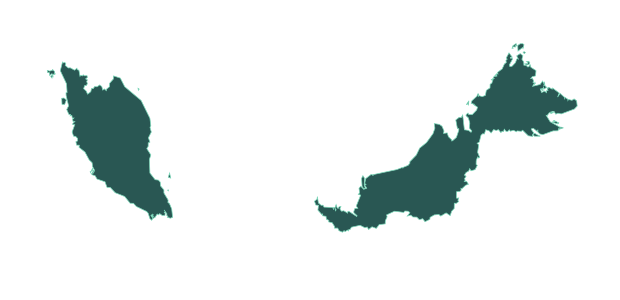
START WITH A LOCATIONHeat. Rain. Water.Make the questions tangible.Geographic illustration · no risk values shown
Boundary: geoBoundaries / OpenStreetMap contributors, ODbL 1.0. Source boundary · Simplified illustration
Malaysian site coverageFour climate scenariosFlexible planning periodsSaved company reviews
FROM THE MAP TO THE WORKDAY
Climate signals.
Operational questions.
Start a focused conversation about heat, heavy rain and water. Explore what a change could mean, then bring in your own site knowledge.
COOLING & PEOPLE
What changes when
hot days feel different?
Explore temperature and heat indicators. Discuss cooling demand and the work that takes place outdoors or in hot spaces.
ASK YOUR TEAMWhich people, spaces and processes are exposed?
Cost examples depend on your inputs and assumptions.
ACCESS & DISRUPTION
What would a difficult
rain day interrupt?
Explore heavy-rain indicators alongside your assumptions about downtime, access and daily disruption costs.
ASK YOUR TEAMWhere would an interruption become a business cost?
Rainfall is not a prediction of flood depth or damage.
DEPENDENCY & BACKUP
How much does your
site depend on supply?
Explore basin water stress and dry spells. Bring your own assumptions about water-cut days and usable backup into the review.
ASK YOUR TEAMWhat could keep operating if supply were interrupted?
Water stress does not forecast utility interruptions.
Conceptual illustrations. Use the explorer for scenario data, source notes and the assumptions that apply.
LOOK BEYOND PHYSICAL CLIMATE
Business changes.
Made discussable.
Work through five practical checks. Add your figures, the source or rationale, and the planning year to explore an illustrative RM effect.
Read the method and limits ↗01Energy costsElectricity and fuel assumptions
02Carbon costsA sensitivity, not a tax determination
03Customer requirementsSales exposed, not forecast losses
04Equipment changesOne-off investment assumptions
05Supplier costsChanges in input prices
A PLACE FOR THE CONVERSATION TO CONTINUE
Your sites.
Your team’s shared view.
Move from an open map to a company workspace. Keep sites, assumptions and saved reviews together, ready for the next discussion.
COMPANY WORKSPACE
A record you can return to.
ILLUSTRATION⌖Example warehouseMalaysia · Site context
Review assumptions ↗ ⌖Example officeMalaysia · Site context
Open saved review ↗ KEEP WITH EACH REVIEWScenarioPlanning periodInputs & sourcesNext steps
Illustrative workspace with fictional sites. Saved reports preserve the inputs and results used at the time.
01 / GET SET UP
Start with JRC.
JRC creates your company account and invites its administrator. Access is by invitation.
02 / BRING YOUR TEAM
Work together.
Your administrator can invite five teammates. Sign in with a one-time code sent to your invited work email.
03 / KEEP THE CONTEXT
Return to the reasoning.
Save site reviews, revisit the assumptions and use the record to support your next conversation.
CONFIDENT USE STARTS WITH CLEAR LIMITS
Useful for planning.
Clear about uncertainty.
Is this a site-level weather or loss forecast?
No. Lite provides scenario screening using regional climate data. Local drainage, equipment, access and supply arrangements still need review. It does not predict exact event timing, flood depths or financial losses.
What can I explore without an account?
The climate explorer is public. Saving company sites and reviews requires an invited account. Contact JRC to arrange a workspace.
How do the scenarios and periods work?
The explorer includes SSP1-2.6, SSP2-4.5, SSP3-7.0 and SSP5-8.5. Planning periods can be adjusted within the model’s supported range. The methodology explains source windows, interpolation, missing data and water-scenario proxies.
Does Lite include everything in Vantage?
Lite has its own focused workflow for climate screening, company reviews and business-change sensitivities. Broader consultant capabilities in the main Vantage platform are not implied.
What happens to the data I enter?
The public explorer does not save client records. Saved company work is shared with active company members. Address searches and map services have their own data flows. Read the existing methodology/privacy guide for product data handling. The website privacy notice covers these promotional pages.
START WITH A SITE. BUILD THE CONVERSATION.
See what could change.
Decide what to ask next.